





The Powis Parker Fastback model 9 binding machine is one of the easiest to use binding systems available on the market. However, if you have never used the Fastback 9 or another tape binding system it can still be somewhat confusing. This article is designed to provide simple step by step instructions for binding documents using Fastback LX binding strips. These instructions will work with the Fastback model 8, 8x or model 9.
1. Set your binding machine to the LX mode. If the machine is in LX mode, the LCD display on the front of the machine will read “READY TO BIND” . . . “LX. “
2. Select the correct size of Lx-Strip according to your document thickness. LX binding strips are available in two thicknesses: Narrow strips handle between 10-125 sheets of paper (approximately 1/2″ thickness), Medium strips handle between 125-250 sheets of paper (approximately 1″ thickness). If you are not sure which strip width to use, simply place your document in the binding recess and push the BIND button. The correct width will be shown on the display.
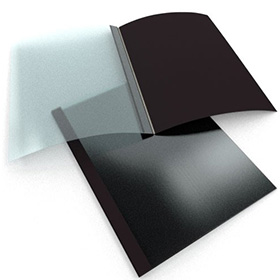
3. Fold the LX strip along the scored line so that it makes a 90° angle. Make sure the adhesive side faces inward.
4. Place the “L” shaped binding strip into the binding throat of your Fastback machine with the adhesive side facing up. Now slide the strip all the way to the right side of the machine. The short side of the strip should be resting against the back wall and the long side of the strip should rest flat on the bottom of throat opening.
5. Tamp your document cover and pages on the front flat surface of the housing so that they are straight. Place the document on top of the strip and slide the document all the way to the right. For a uniform strip wrap width on your front cover – regardless of document thickness – turn your document in the binder so that the front cover faces the back of the machine.
6. Tap the document firmly on both the top and the left side to help ensure that all of the pages are even. Then, push the pages backward so they are pressing against the back wall of the binding throat. Before pressing the bind button, check one last time to ensure that the edge of your book lines up with the edge of the strip.
7. Press the large “BIND” button on the front right side of the machine. This will begin the binding process. At this point it is still possible to stop the machine if you realize that you have made a mistake in the first several seconds of the binding cycle. All you need to do is press the orange OPEN button on the front of the machine to abort the process and release your book. However, you will waste your LX binding strip if you do this.
8. As soon as the Fastback machine LCD displays “REMOVE BOOK,” you can take the document and move it so that it rests against the rear book support fence for cooling.
9. Allow your document to sit and cool for at least 5 minutes before handling it. You can use the book after five minutes. However, leaving the document to cool longer can help to make the bind stronger. The glue will continue to harden and the bind will grow stronger for approximately 24 hours.
These are some basic instructions for binding documents with LX binding strips using the Fastback 8, 8x or model 9 binding machines. Try out these instructions and see just how easy Fastback binding can be.