






Laminating your documents and photographs is an excellent way to make them last longer and look more professional. However, once laminated, you may want to trim excess laminating film. This article will explore various methods for trimming laminated documents and how to trim your lamination so you don’t accidentally reverse it.
Can I Cut Laminated Paper?
Yes, depending on what kind of laminate you are using , you can at least to some degree. For most lamination, we recommend leaving at least 1/8” border around your encapsulated paper. If you cut any closer, you could potentially compromise the lamination and allow moisture and dirt to get in. This would weaken the bond between the laminate and your document and could even reverse the lamination. That being said, check the information on your film. Some laminate creates a bond that can be cut anywhere, even through the paper, without compromising, such as single-sided lamination. This will be specified on your laminating film.
Trimming Options for Laminated Documents
- Rotary Trimmers - For perfectly straight lines: Rotary trimmers are ideal for achieving precise, straight cuts. These trimmers come in various sizes, making them suitable for both small and large projects. They are perfect for producing professional-looking work. Some recommended rotary trimmers include the Swingline Commercial Cut series, Akiles Roll-A-Blade, and Fellowes Atom. These trimmers are easy to use, just align your document with the trimmer’s ruler and grid and slide the blade through.
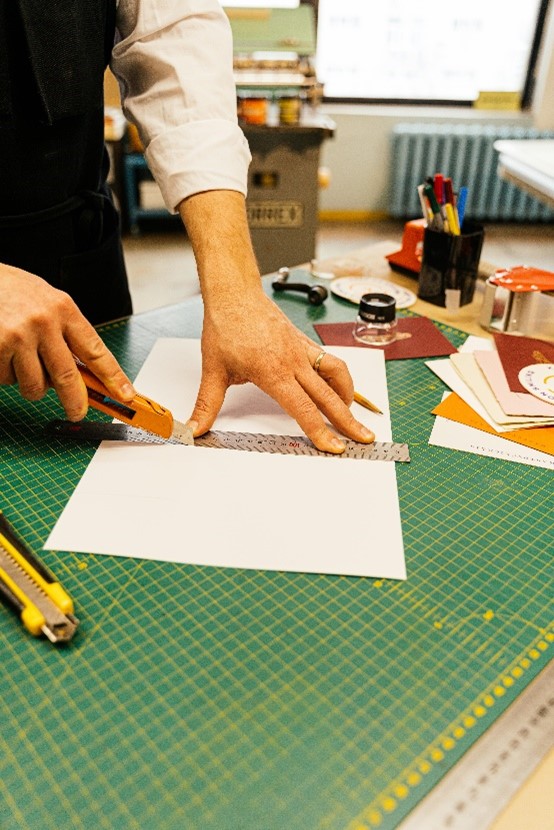
- Craft Knife and Straight Edge - For budget-friendly precision: A craft knife (such as an Exacto knife) and a straight edge can also provide straight cuts. This method is inexpensive and fast, especially for small trimming tasks. Ensure you use a cutting mat to protect your work surface and exercise caution to avoid injury.
- Scissors - For those with steady hands: Scissors are a common and easily accessible tool for trimming laminated items. While they can be handy, getting a perfectly straight line can be challenging. Use a high-quality pair, such as those from Dahle, which are sharp and can make the trimming process easier. Fully open scissors with each cut for better results.
- Automatic Trimmers - For high-volume operations: If you frequently laminate a large volume of documents, automatic trimmers can save time and effort. These machines are designed for heavy-duty use and can handle large items like banners. Examples include the Pro-Lam Automatic Laminating Trimmer and the GBC Pro-Trim. While these machines are more expensive, they are invaluable for high-volume tasks.
Considerations for Choosing
- Document Size: Choose trimming tools based on the size of your documents. Smaller items like business cards can be trimmed with scissors or craft knives, while larger items like banners are better suited for rotary or automatic trimmers.
- Material Shape: For straight lines, use rotary trimmers or guillotine cutters. For curved or irregular shapes, scissors or craft knives are more appropriate.
- Material Thickness: The thickness of your laminated item affects the choice of cutter. For example, thick materials like mounting boards will need a board cutter.
- Volume of Work: High-volume laminating tasks are best managed with automatic trimmers, whereas occasional laminating can be handled with simpler tools like scissors or rotary trimmers.
So, you can cut your laminated projects, but be sure to do it correctly for a professional, clean edge and protection that will last.
Ready to find the perfect fit for your unique needs? Shop our collection of some of the best laminate cutters on the market or chat with us for help.