










If you have a laminator you know just how great it can be for laminating signs, banners, presentation covers, visual aids, and documents. However, there is nothing quite as frustrating as trying to troubleshoot problems with your laminated documents. Perhaps your laminate is coming out cloudy, wavy, with air bubbles, curled, or with small spots. All these problems have different causes. Here are some quick fixes for the most common laminator problems so you can stay productive.
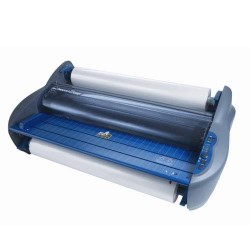
- Wavy Lamination: If you have too much heat you will notice that the laminate is wavy. If this happens you need to lower the temperature to keep this from happening in the future. Additionally, if the speed is too slow, then too much heat will be transferred, and you will get the same waviness in your documents. Ultimately, you will need to find a balance between heat and speed. If your laminator does not have a heat setting, you will need to adjust the speed. Likewise, if there is no speed setting you will need to adjust the heat. If you have both then you can attempt to adjust both to find the right setting for the type of film you are laminating.
- Cloudy Lamination: If you don’t have enough heat or the heat is inconsistent you will get silvering or cloudiness throughout your document. Similarly, if the speed is too fast, then not enough heat is being transferred. Again, it is about finding a balance of speed and heat. You may also need to give your laminator enough time to recover heat after a long run of laminating since the temperature of the rollers will drop as heat is transferred to your documents. Luckily you can run the cloudy document through the laminator a couple more times to clear up the problem.
- Lamination with Air Bubbles: Specific to roll laminators this likely is caused by the tension. The tension setting determines how tight the laminate is stretched as it comes off the laminator. Generally, you should not mess with the tension settings on your laminator. However, if you notice that you are getting excessive curling, cupping, or air bubbles in your laminated output, you may need to tweak the tension. Just remember that the tension on both rollers should always be set the same if you are running the same type of film on both sides.
- Speckled Lamination: Small particles of dust on your documents and photos can cause your laminated documents to look speckled. To fix this you will need to remove the dust before you run your prints. There is a special tool called a PCR roller that is designed for this purpose. A PCR roller will remove dust from your printed output without damaging the surface of the prints. Alternatively, if the spots appear on the outside of the lamination, it is probably dotted with glue deposits because the machine’s rollers haven’t been cleaned in some time. This is pretty easy to do, especially since there are a lot of cleaning kits on the market. Just follow the kit’s instructions and your laminator will be ready to give you crystal-clear results again. If you are using a pouch laminator, a great way to prevent this is using a pouch carrier.
- Unlaminated Spots: If you have small dots or sections on your laminated output that are not laminating you will need to check your rollers. Rollers that are damaged, cracked, or have adhesive buildup may not transfer heat equally. Every place where the roller touches the laminate and there is adhesive buildup or a gouge in the roller you will end up with an unlaminated spot. The only way to deal with this problem is to clean or replace the rollers on your laminator.
- Lamination Isn’t Lasting: Many types of laminating film will not adhere well to digital output with high fuser oil content. If you are having this problem, you may notice that the laminate will easily peel off your finished documents when face trimmed. If you are using this type of digital output you may need to look into using a high-tack laminating film. Hi-tack laminating films use a more aggressive adhesive to ensure adhesion to this type of coated output.
These few adjustments should have your laminated projects back to looking their best. If you are still having trouble, you can click to live chat or call our customer care team at 1-800-944-4573 for extra assistance. If you are experiencing a jam check out our dedicated articles for both roll and pouch laminator jams.