


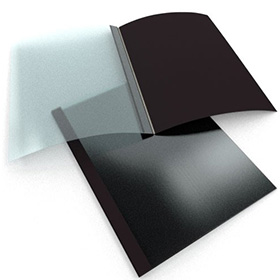





When preparing a proposal or manuscript, one of the worst things that can happen is to notice an error just after binding. Or maybe after presenting your work, you want to make edits without having to trash the old version and start new. Choosing a binding method that allows you to add and remove pages is necessary should the need arise. The good news is that if you use a thermal binding machine to bind the document, you can most likely make quick changes to the project without having to use new supplies.
While this won’t replace careful editing, it is a valuable option to have at your fingertips. A few sheets can easily be switched out a few times. However, this ability to add or remove pages is not the same as the full reusable flexibility seen in other binding styles, namely reclosable strip binding or comb binding. Thermal binding users still need to complete their documents as accurately as possible and not rely on post-binding edits. While you can make small quick edits it will still erode your bind quality if you edit too much.
The following are a few easy instructions for inserting and removing pages from thermal-bound documents. These guidelines should work with any brand of thermal binding machine, including Fellowes or Coverbind.
How to Remove a Page
- Place the document spine-down into your warmed and ready binding machine. Find the page(s) you want to remove. Use one hand to separate the selection to be removed from the rest of the materials.
- With one hand, use your fingers to grasp the sheet(s) for removal while also holding onto the selections of the document on either side. When the binding cycle is finished, use the opposite hand to hold the corner of the sheet to be removed and test its readiness by sliding it gently.
- If the sheet moves easily, lift up on the corner and ease it out of the document. Keep your hold on the rest of the pages to ensure they don’t move around in the loose adhesive. If your page doesn’t slide easily, let the spine heat up longer and try again.
- Once the pages are completely removed, firmly tap any wayward sheets back into place and let your document cool so the glue can re-set.
How to Add a Page
This process is even simpler than deletion.
- First, slide the sheet to be inserted into the right place.
- Next, set your project into your thermal binding machine and allow a full binding cycle to run.
- Finally, once the glue is fully warmed up, manually press the sheet into the document to make it straight with the other pages. You may need to slide the page(s) back and forth to lodge them firmly centered in the adhesive and ensure all the pages are even.
The processes of inserting and removing pages into thermal-bound documents will take some practice. But after editing a few documents, you’ll get the hang of it. If you are having trouble and need advice feel free to give us a call at 1-800-944-4573. or if you would rather rebind the whole project, use this process to remove all the sheets and grab a new binding cover here.